Florida Pool Barrier Law: What Homeowners Must Know
September 20, 2026
Hiring a Pool Builder in Newberry, FL: What to Vet First
September 27, 2026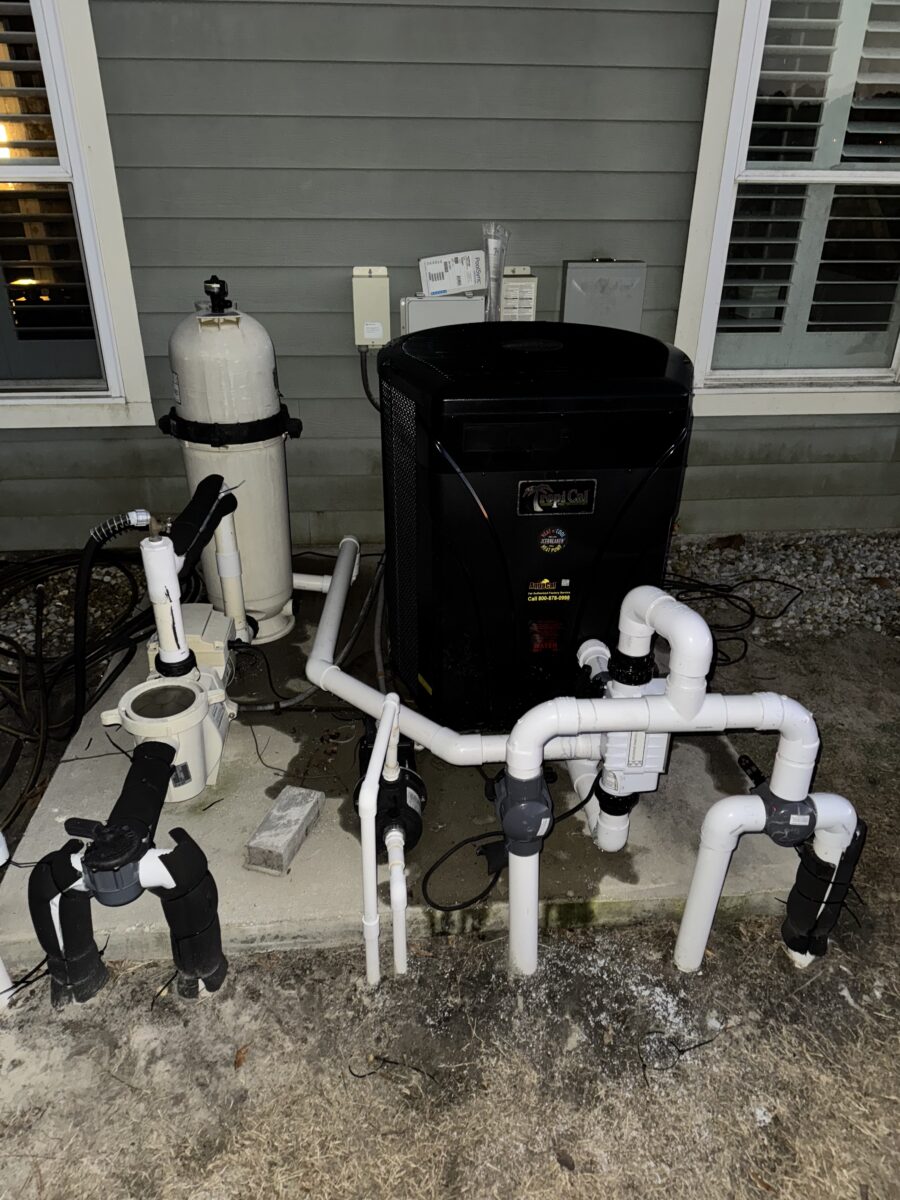
Getting your spa warm before you reach Haile Plantation sounds convenient, until you discover the app cannot control your heater. A pool automation system is only as useful as its equipment connections. Before building or rebuilding, focus on compatibility, dependable controls, and the functions you’ll actually use.
What a pool automation system actually does for you
A controller coordinates connected equipment using schedules, sensors, and commands from an app or local panel. Instead of walking to the equipment pad, you can adjust supported functions remotely.
You don’t need every smart feature to get useful pool automation. During North Florida’s long swim season, dependable pump schedules and straightforward lighting controls can matter more than voice commands.
Everyday controls vs. optional extras
Common functions include pump schedules and speeds, heating, lights, water features, and pool-to-spa switching. A basic Wi-Fi upgrade might control one compatible pump. An integrated controller coordinates multiple pieces of equipment.
Scheduling a salt chlorine generator is not the same as measuring chlorine or automatically dosing chemicals. Those functions require additional equipment. If you’re considering adding salt chlorination during construction, keep that equipment scope separate from the automation package.
Automation does not replace water testing, supervision, or required pool safety barriers.
Start with your equipment, not the app
Compatibility determines what you can actually control. For a new pool, select equipment and automation together. For a rebuild, record existing model numbers before buying controls.
“Communication” means how equipment exchanges information. Some connections carry settings and status. Others send only an on/off command. A polished app cannot overcome a limited connection.
Match your pump, heater, lights, and spa controls
A supported digital connection can adjust variable-speed pump settings and report operating information. A relay, an electrically controlled switch, only switches power. Some pumps need continuous power and separate control wiring, so switching power is not a universal solution.
Heater enable contacts can request heating without providing full temperature or fault information. With limited integration, temperature settings may remain at the heater. Light colors and scenes also depend on supported fixtures and control methods.
Spa mode coordinates several actions: valve actuators, small motors that turn valves, redirect water; pump speed changes; and heating follows configured flow requirements and safety delays. Without compatible communication, separate programming or limited control may be necessary.
When planning a shared pool-and-spa layout, settle those operating details before finalizing plumbing.
Count connections before you choose a controller
For a shared-equipment pool and raised spa, a sample inventory includes one communicating variable-speed pump, one heater connection, two valve actuators, and water and air temperature sensors.
Assuming compatible switched loads, add two relays: one for the lights and one for a separate water-feature pump. Separately controlled lighting zones could require more outputs.
Actual requirements depend on your design, light controls, and equipment ratings. Reserve capacity for a future feature, and confirm available expansion modules rather than assuming every controller can grow.
Which pool automation system is best for your plans?
No system earns an automatic “best for 2026” label. Your equipment list, required capacity, and available installation support provide a better starting point.
The major connected platforms include these established families. Use this comparison to frame a quote, then verify current model specifications.
| Platform | Equipment fit | Expansion | Local and app access |
|---|---|---|---|
| Pentair IntelliCenter | Confirm supported pumps, heaters, and lighting | Depends on configuration and modules | Confirm panel and app functions |
| Hayward OmniLogic | Confirm supported Omni equipment and connections | Depends on configuration and accessories | Confirm local interface and app functions |
| Compatible Jandy controller with iAquaLink | Confirm controller and equipment compatibility | Depends on controller model | Confirm local controls and iAquaLink access |
iAquaLink is the connected interface, not a single controller model. Across all platforms, compare written warranty terms, installation requirements, and local programming support.
For a straightforward pool with a pump and lights, a simpler compatible upgrade may be enough. For a new pool-and-spa build, integrated control earns its added cost by coordinating valves, speeds, and heating. For a rebuild, retaining usable equipment can matter more than matching brand names.
Treat smart-home integration as a bonus. Verify the exact platform, integration method, and subscription requirements. If color-changing lighting matters to your design, confirm supported scenes before choosing fixtures.
Make sure your controls work when wi-fi Doesn’t
Your internet connection, home network, and equipment-control connections are separate parts of the system. Losing cloud access can stop phone control while locally stored schedules continue. Confirm that behavior for your exact controller.
Test signal strength at the equipment pad, not beside your router. Distance, walls, and enclosures can weaken Wi-Fi. Where supported, a wired network connection can avoid that weak point.
Accessible local controls still matter, especially during Gainesville’s summer storms. A network connection cannot keep equipment running during a power outage.
Check outage behavior, freeze protection, and account access
During the installation walkthrough, have internet access disconnected, operate equipment locally, and confirm how manual overrides return to scheduled operation.
For Gainesville’s occasional freezes, protection depends on configured sensors, electrical power, water flow, and assigned equipment. Freeze protection is not a guarantee against damage. Confirm how freeze settings interact with schedules and spa mode, including which pumps and plumbing circuits receive flow.
Use unique passwords and multifactor authentication where available. Keep installer access controlled, remove unneeded access after handoff, and use a separate connected-device network when supported without disrupting required communication.
Budget for the installed System, and plan it into your build
How much does a pool automation system cost? A hardware price alone cannot answer that. Basic controls cover fewer functions, while integrated pool-and-spa systems add connections, configuration, and installation work.
Swim State’s Gainesville-area planning estimator includes automation as a separate build allowance. Use that tool for preliminary budgeting, then get an itemized estimate. A planning allowance is not a hardware-only price or a fixed installed quote.
At the lower-budget end, prioritize scheduling and the controls you use most. A middle-ground package can coordinate heating and lighting. A larger budget can support pool-and-spa switching, additional features, and expansion capacity. Confirm inclusions rather than assuming a package label covers everything.
Better scheduling can reduce wasted runtime, but automation alone does not guarantee energy savings or payback. Pump selection, plumbing, speed, and operating hours matter. Even manufacturer calculators caution that actual energy consumption depends on plumbing and equipment.
Compare complete quotes, not controller prices
Your quote should identify controllers, expansion modules, actuators, sensors, connectivity hardware, wiring, installation, programming, and a hands-on walkthrough.
Separate possible equipment replacement, subscriptions, and optional chemistry equipment. Chemistry probes can add replacement and calibration costs. Compare written warranty coverage and available support, too.
Buying for the app alone, overlooking compatibility, and paying for unused features are avoidable mistakes. For an old pool, include controls in your renovation scope. If spreading construction costs matters, review available financing information alongside the complete project estimate.
Bring this checklist to your pool build consultation
For a project in Gainesville, Newberry, High Springs, Alachua, or Jonesville, bring these planning materials:
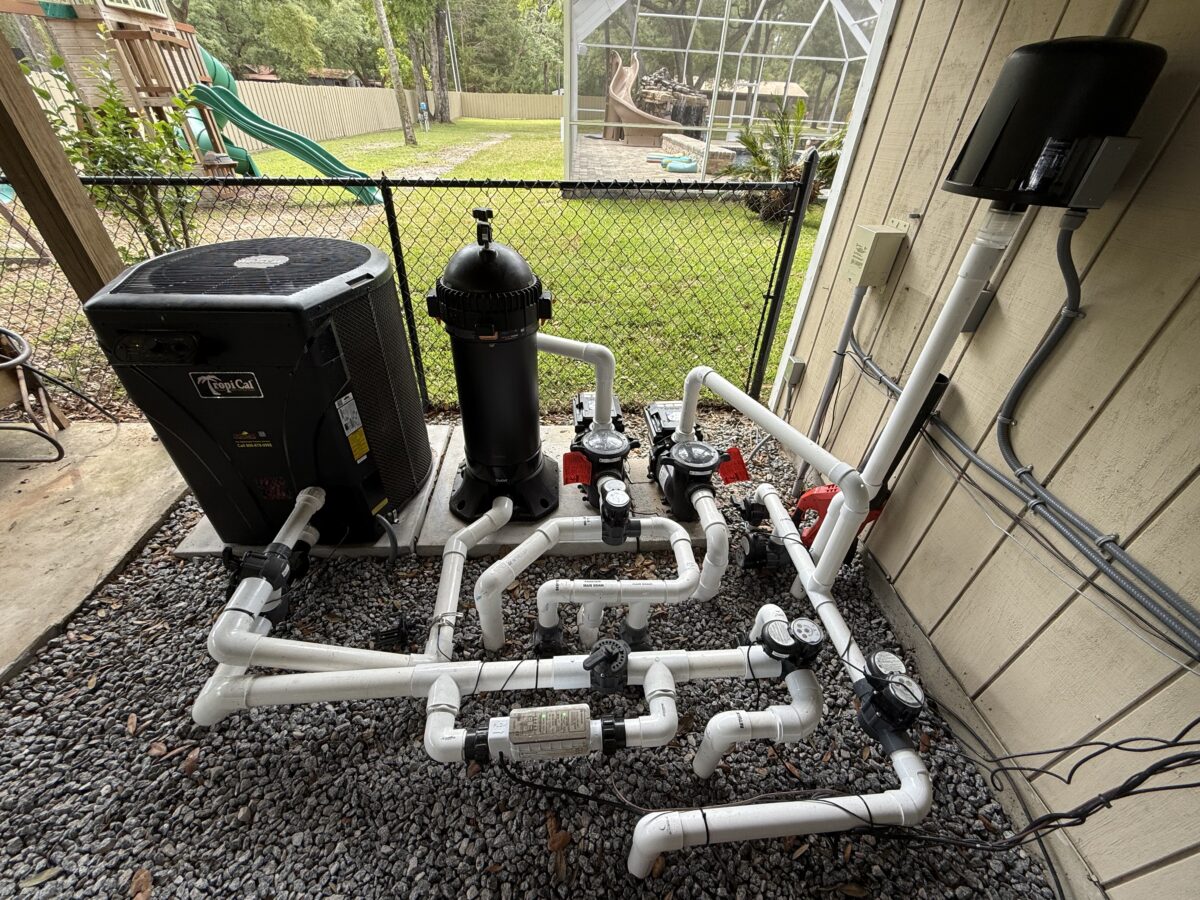
- Existing equipment model numbers
- Must-have controls
- Planned future features
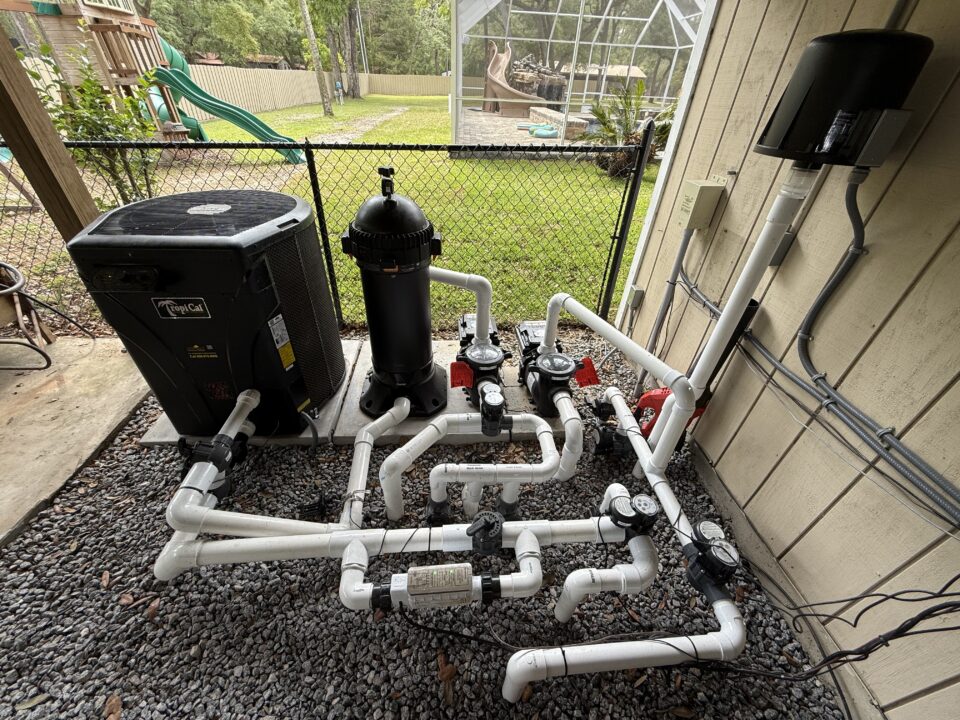
- Equipment-pad photos
- Available network details
Have existing controls, wiring, electrical-panel capacity, conduit, and network access checked. Plan pathways before decking goes down. Sandy soil over limestone can affect excavation planning, while planned neighborhoods may require HOA approval.
Leave electrical modifications to appropriately licensed professionals. Confirm applicable Alachua County or City of Gainesville permits and inspections, along with required pool safeguards.
Frequently asked questions
Can you add automation while rebuilding an older pool?
Yes, but existing equipment compatibility determines the scope. Review controls and wiring before finalizing the renovation, especially if you want to retain a usable pump or heater.
Does every connected pool need a full automation panel?
No. For a simple pool, compatible built-in pump controls and separate lighting controls may cover your needs. A full panel makes more sense when several functions need coordination.
Can your spa heat before you arrive home?
With compatible remote controls, you can request heating before arrival. Actual warm-up time still depends on starting temperature, heater capacity, weather, and spa size.
Should you install automation now or add it later?
During construction, wiring pathways and equipment coordination are easier to plan. If postponing the controller, include suitable conduit and equipment-pad space now, without assuming future compatibility.
What should you bring to an automation estimate?
Write down your must-have controls and any future upgrades. Include equipment photos for a rebuild so your estimate reflects existing conditions.
Write down your three must-have controls and bring that list to a pool build consultation with Swim State at (352) 318-9782 for an itemized estimate.